DriveHQ's File Drop Box feature works like a mail drop box in a post office, allowing anybody to quickly and
easily upload files to you securely. Once a "File Drop Box" folder is created, simply share/publish the File Drop Box URL.
Anybody can visit the URL and upload files into the folder without the hassle of creating an account.
The File Drop Box feature is designed for you to receive files from anybody,
incl. potential clients, unknown users, one-time users, or too many users that you cannot enter all their email addresses.
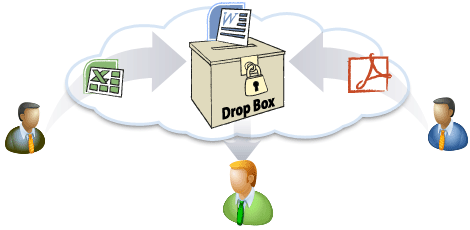
Anbody can drop files to you. DriveHQ account is not needed. Receive files from your own webpage
File Drop Box Details
Please watch the File Drop Box Feature Tutorial video:
-
Anybody Can Upload Files into a File Drop Box
The primary function of a File Drop Box is to allow non-DriveHQ members to upload files
to your private cloud folders without having to log on.
-
Embed File Drop Box Folder: Receive Files from Your Own Web Page
Embed a File Drop Box Folder in your own website so that you can receive files from your users directly from your web pages.
-
Secure Upload Only
Users cannot see files that were uploaded to the File Drop Box by others.You (as the File Drop Box owner) have full access to the folder;you can also create a password for a File Drop Box folder.This way, users must have the password to
access the File Drop Box. Spammers cannot spam you unless they have the correct password.
-
Unlimited Number of File Drop Box Folders
There is no limit to the number of File Drop Box folders in your account.
-
Synchronized File Drop Box Folders
Create a synchronization task in DriveHQ FileManager to sync your File Drop Box folder.You can access files uploaded to the cloud-based File Drop Box folder from the synchronized local folder.
-
File Upload Notifications
You can assign email addresses to be notified when files are uploaded to a File Drop Box folder.
-
In addition to receiving files via the File Drop Box URL,
you can also receive files via the File Drop Box's email address.
-
File Drop Box Demos and Screenshots
First, create a folder and check the checkbox "This is a File Drop Box folder". If you have already created a
File Drop Box Folder, you can simply log on to DriveHQ.com website, then from the DriveHQ Start Menu,
click "File Drop Box", you will
see a list of File Drop Box folders in your account.
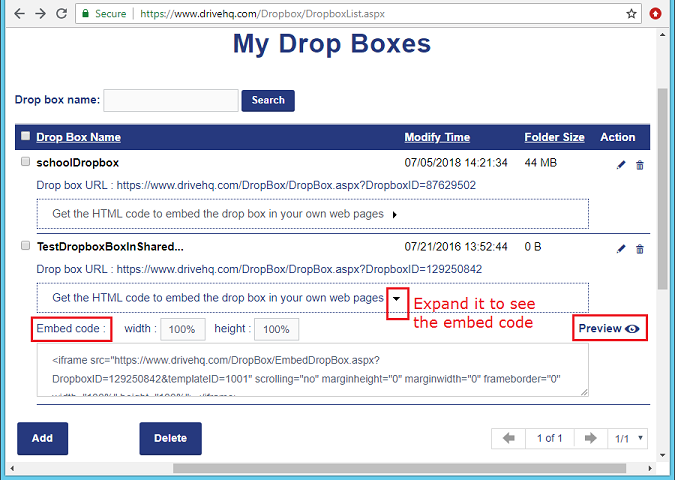
Manage File Drop Box Folders
You can share or publish the File Drop Box URL to receive files from other users.You can also embed a File Drop Box
in your own web page. For more info, expand the list to see the embed code. Click Preview to
see an example:
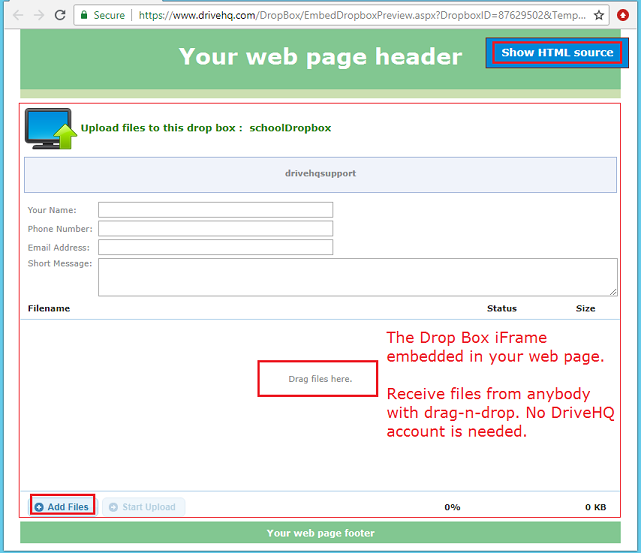
An example of embedding a File Drop Box in your own web page
File Drop Box Online Help